Updated for 2026. The Supreme Court’s old case status page (main.sci.gov.in) has been replaced by the new sci.gov.in website. High Court case status is checked on hcservices.ecourts.gov.in or the free eCourts Services app.
You no longer need to visit a court registry or call your lawyer to know what happened in a case. The Supreme Court, all High Courts and most district courts publish case status, daily orders, judgments and cause lists online. It is part of India’s e-governance services, run by the Supreme Court’s eCommittee with the National Informatics Centre (NIC).
At a glance
| What you need | Where to check |
|---|---|
| Supreme Court case status, orders, judgments, cause list | sci.gov.in |
| High Court case status, orders, cause list | hcservices.ecourts.gov.in or your High Court’s website |
| District court cases | services.ecourts.gov.in |
| Judgments of the Supreme Court and High Courts (free text search) | judgments.ecourts.gov.in |
| On the phone | eCourts Services app (Android and iOS), Supreme Court of India app |
| Without internet | SMS ECOURTS <CNR number> to 9766899899 (High Court and district court cases) |
How to check Supreme Court case status
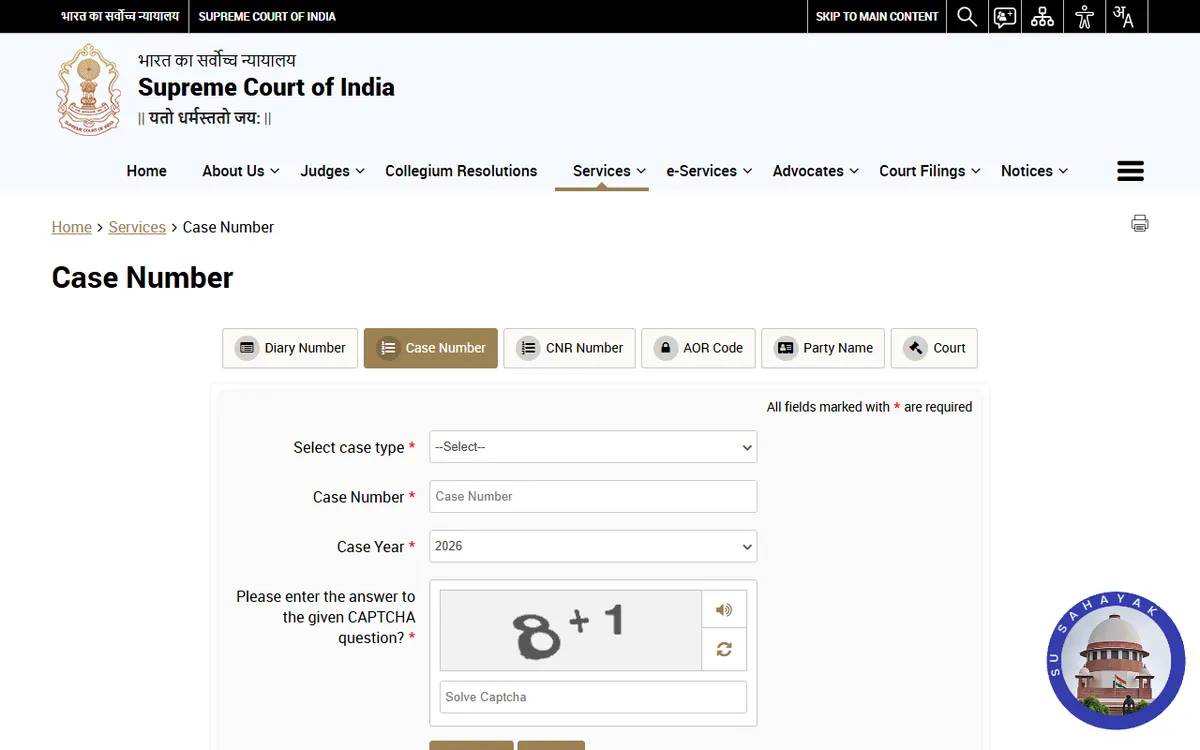
Supreme Court of India case status search page (November 2026)
- Go to sci.gov.in and open Case Status (direct link: sci.gov.in/case-status-case-no).
- Choose how you want to search:
- Diary Number: the number the registry gives when a case is filed. Best for new cases that are not yet registered.
- Case Number: case type (for example, SLP (C)), number and year.
- CNR Number
- AOR Code: cases of a particular Advocate-on-Record
- Party Name: petitioner or respondent name, with year
- Court: cases listed before a particular court
- Enter the details, fill the captcha and search.
- Open the case to see its status, listing dates, the bench, earlier orders and office reports.
If you do not know the case number, search by diary number or party name. Common names return many results, so add the year.
Supreme Court orders, judgments and cause list
- Daily orders: sci.gov.in/daily-order-case-no
- Judgments: search by diary number, case number, judge, judgment date or free text at sci.gov.in/judgements-case-no
- Cause list: daily, weekly, advance and elimination lists at sci.gov.in/cause-list
- Display board: live status of courtrooms at sci.gov.in/display-boards
- Supreme Court Reports: the official law reports are free to search on the Digital SCR portal, scr.sci.gov.in
The Supreme Court also has its own app, Supreme Court of India, on Google Play and the App Store.
How to check High Court case status
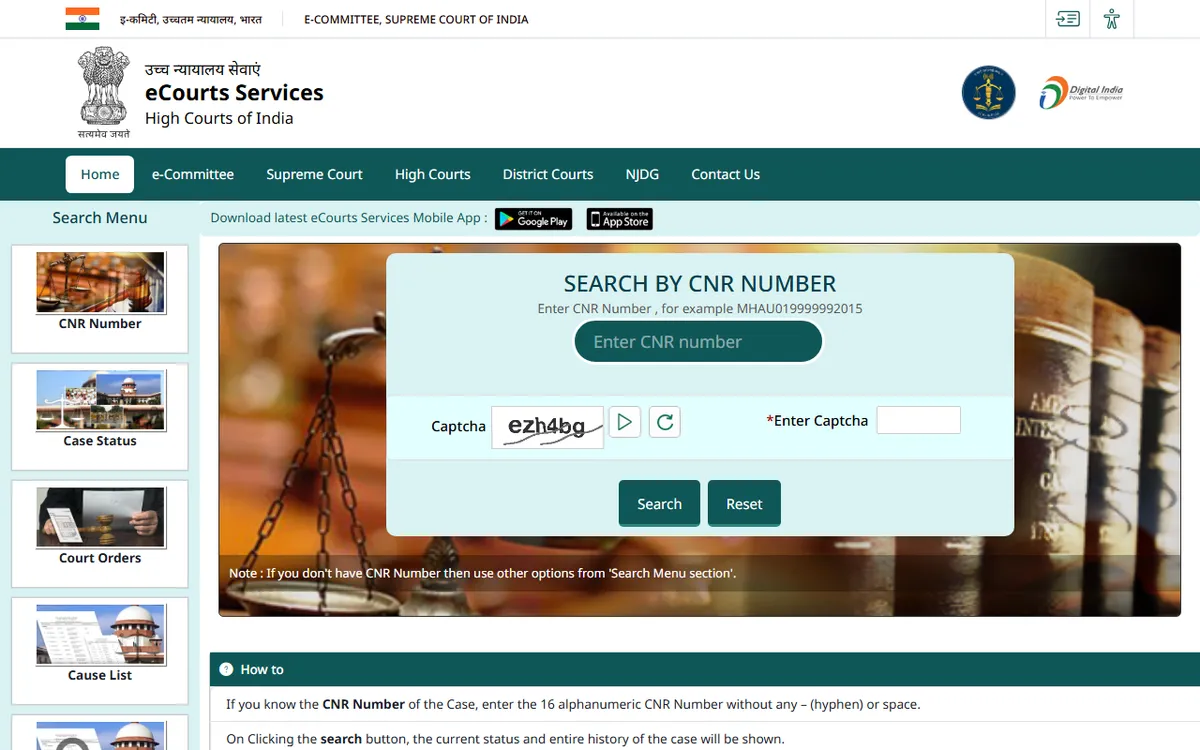
eCourts High Court services: search by CNR number (November 2026)
- Open hcservices.ecourts.gov.in.
- Select the High Court and the bench (for example, Calcutta High Court, Original Side or Appellate Side).
- Choose a search option:
- CNR Number: the 16-character number that identifies a case on eCourts; gives the full case history directly
- Case Status: by case number, filing number, party name, advocate name, FIR number, Act or case type
- Court Orders: by case number, court number, party name, order date or neutral citation
- Cause List: the daily list for a High Court bench and date
- Caveat Search
- For case status searches, pick Pending or Disposed, enter the captcha and search.
- Click View to see hearing dates, next date, the judge, and orders you can open as PDFs.
Several High Courts, such as Delhi, Bombay and Madras, also run their own websites with case status and cause lists. If you cannot find a case on the eCourts portal, check your High Court’s own site.
If your case started in a police station, you may also need the FIR copy online.
eCourts Services app and SMS
The free eCourts Services app by NIC covers High Courts and district courts. You can search by CNR, case number, party name, advocate or FIR number, view cause lists, and save cases under My Cases to track hearing dates.
Without internet, send an SMS in the format ECOURTS <CNR number> to 9766899899 to get the case status for a High Court or district court case. The Supreme Court is not covered by this SMS service.
Search judgments across courts
The eCourts judgments portal (judgments.ecourts.gov.in) lets you search judgments and orders of the Supreme Court and High Courts by keyword, phrase or Act. It is useful when you know the subject but not the case number.
Frequently asked questions
How can I check my Supreme Court case status online? Go to sci.gov.in, open Case Status, and search by diary number, case number, CNR, AOR code, party name or court.
What is a diary number in the Supreme Court? The number the Supreme Court registry gives to a case when it is filed. You can track the case with it even before a regular case number is assigned.
What is a CNR number? A 16-character Case Number Record that identifies a case on the eCourts system. It is printed on case papers and lets you see the full case history in one search.
Can I check High Court case status by party name? Yes. On hcservices.ecourts.gov.in, select the High Court and bench, choose Case Status, then Party Name, and add the year.
Where can I see tomorrow’s cause list? For the Supreme Court, at sci.gov.in/cause-list. For a High Court, use the Cause List option on hcservices.ecourts.gov.in or your High Court’s website.