Electricity boards send bill alerts to the mobile number and email linked to your account. These include the bill amount and due date, reminders, payment receipts and outage notices. If you aren’t getting them, your number was probably never registered, or it is an old one. There is no single national registration, so you have to update the details with your own discom. Here is how to do it for the most common ones.
Bill alerts at a glance
| Discom | Where to register mobile / email |
|---|---|
| DHBVN (south Haryana) | Update KYC on epayment.dhbvn.org.in |
| UHBVN (north Haryana) | Update KYC on epayment.uhbvn.org.in |
| UPPCL (PVVNL, PuVVNL, MVVNL, DVVNL, KESCO) | Update Contact Details on consumer.uppcl.org |
| BSES (Delhi) | BSES e-bill registration |
| PSPCL (Punjab) | contactregistration.pspcl.in |
For anything else, call 1912, the electricity helpline in most states, and ask them to update your mobile number.
DHBVN and UHBVN (Haryana)
Both Haryana discoms register your mobile number and email through Update KYC on their e-payment portals:
- Open DHBVN Update KYC or UHBVN Update KYC.
- Enter your account number, Aadhaar number, mobile number and email ID. UHBVN also asks for your Parivar Pehchan Patra number.
- Give consent for Aadhaar sharing and verify with the OTP.
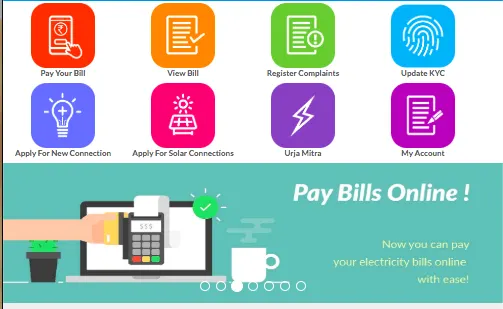
After that, you can log in at dhbvn.org.in or uhbvn.org.in under My Account with your 10-digit account number, using an OTP as the password. Open Email/SMS Alert to manage your alert settings, and use Bill Summary or View Bill for past bills.
If you no longer have the old registered mobile number, DHBVN asks you to call 1912 or 1800-180-4334 to reset your account. For UHBVN, call 1912 or 1800-180-1550.
DHBVN SMS service
DHBVN also takes billing and supply complaints by SMS to 56161101:
| Complaint | SMS format |
|---|---|
| Bill not received | BNR <account number> |
| Wrong bill | WB <account number> |
| Meter burnt | MB <account number> |
| Meter defective | MD <account number> |
| No supply | NSC |
To pay the bill once you get the alert, see how to pay your Haryana electricity bill online.
UPPCL (PVVNL, PuVVNL, MVVNL, DVVNL, KESCO)
The UPPCL consumer portal has several options for this:
- Update Contact Details: change the mobile number and email linked to your account.
- Update Mobile using Aadhaar: use this if your old number is no longer active.
- WhatsApp subscription: get your bill on WhatsApp.
- Bill on Email: available after you log in to the portal.
To get the bill details by SMS, send BILL <account number> to 5616195 from your registered mobile number. For payment steps, see PVVNL / UPPCL bill payment online.
Other electricity boards
- BSES Delhi (BRPL/BYPL): register for e-bills on the BSES e-bill page using your CA number.
- PSPCL Punjab: update your mobile number and email for energy bills at contactregistration.pspcl.in.
- CESC Kolkata and WBSEDCL: log in to the consumer section of cesc.co.in or wbsedcl.in with your consumer ID and update your contact details there.
Frequently asked questions
Why am I not getting an electricity bill SMS? Your mobile number is probably not linked to your account, or an old number is. Update it through your discom’s KYC or contact-update page, or call 1912.
How do I change my registered mobile number in DHBVN? Use Update KYC on epayment.dhbvn.org.in and verify with the OTP. If you can’t receive an OTP on the old number, call 1912 or 1800-180-4334.
Can I get my UP electricity bill on WhatsApp? Yes. The UPPCL portal has a WhatsApp subscription option. Your number must be registered with your account first.
Is there a charge to register for bill alerts? No. Updating your mobile number and email through the discom’s own portal is free. You only need your account number and access to the mobile number for the OTP.